
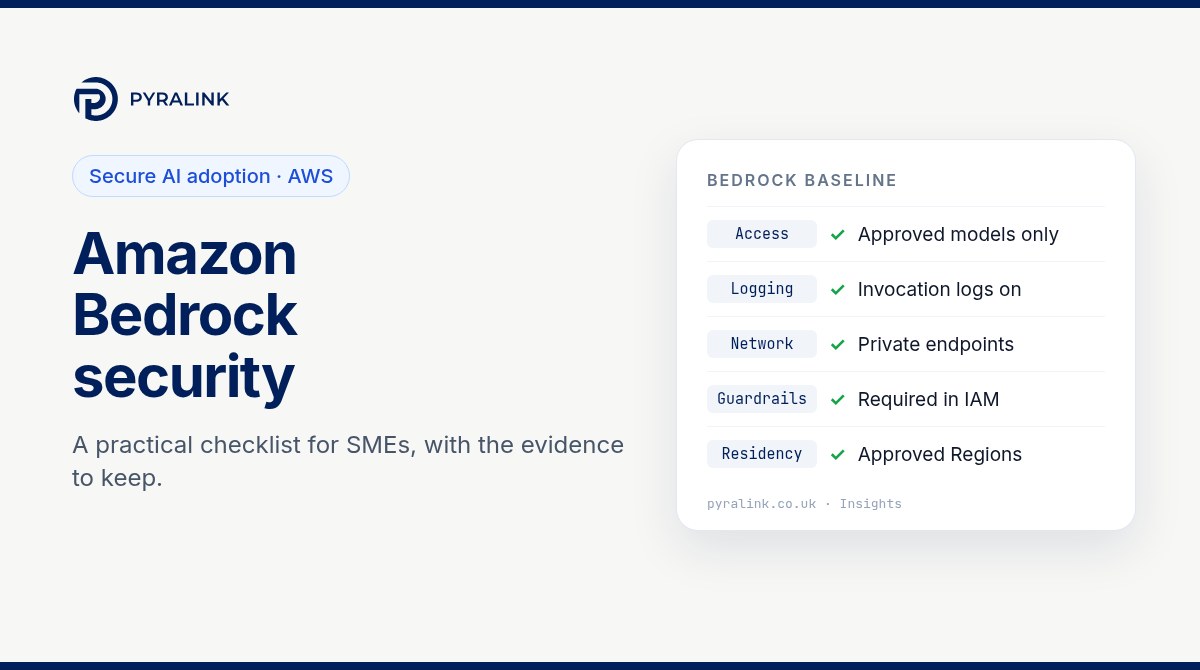
Short answer: Amazon Bedrock lets a small or mid-sized business use leading foundation models inside its own AWS account, which is one of the most practical ways to adopt generative AI securely. It is not secure by default in every respect, though. A sound baseline is: give applications permission to call only the models they need, turn on model invocation logging (it is off by default), keep inference traffic on private endpoints, enforce a guardrail through IAM, choose inference profiles that keep data in the geography you have promised, and keep dated evidence that all of this is still true.
This checklist is written for SMEs whose customers, auditors or insurers are starting to ask how they use AI. Each step has the setting to change, a read-only AWS CLI check, and the evidence worth keeping. Your own risk assessment still decides what is proportionate.
Why Bedrock security is mostly AWS account security
The shared responsibility model applies to Bedrock as it does to every AWS service: AWS protects the infrastructure, and you are responsible for your content and for how you configure the service. AWS documents that model providers do not have access to the accounts where their models run in Bedrock, so they cannot see your prompts and completions. That removes one of the biggest worries SMEs have about public AI chat tools. What it does not remove is your own configuration risk.
In practice, most Bedrock incidents start with ordinary cloud weaknesses: an over-permissive role, a long-lived key in source code, logging that was never switched on, or a test account nobody reviews. Stolen cloud credentials used to run up model bills, sometimes called LLMjacking, are a real pattern. That is why the first half of this checklist looks like any good AWS hygiene review, and why it pays to fix the account before you scale AI use. Our guide to common cloud misconfigurations covers the wider account-level problems.
Step 1: know where Bedrock is in use
Start with an inventory, because Bedrock use often begins in a developer's sandbox. The discovery approach in our shadow AI discovery and governance guide works for cloud AI too.
- Every AWS account and Region where Bedrock has been called, including sandboxes and proof-of-concept accounts.
- Which models and inference profiles each application uses, and who owns each application.
- Any knowledge bases, agents or custom models, and which data stores they read from.
- Whether any supplier or contractor has access to these accounts.
# Read-only: recent Bedrock API activity recorded by CloudTrail in one Region
aws cloudtrail lookup-events --region eu-west-2 \
  --lookup-attributes AttributeKey=EventSource,AttributeValue=bedrock.amazonaws.com \
  --max-results 50 --query "Events[].[EventTime,EventName,Username]" --output table

# Read-only: inference profiles available in the Region
aws bedrock list-inference-profiles --region eu-west-2 \
  --query "inferenceProfileSummaries[].[inferenceProfileId,type,status]" --output table
Step 2: least-privilege access to models
The most common mistake is attaching a broad managed policy, or bedrock:*, to an application role. That lets the application, or anyone who steals its credentials, change guardrails and logging as well as call models.
- Give application roles only
bedrock:InvokeModelandbedrock:InvokeModelWithResponseStream(the Converse API uses the same permissions), scoped to the specific model or inference profile ARNs you have approved. - Use one role per application so a compromised service cannot affect the others.
- Keep administrative Bedrock permissions, such as changing logging or guardrails, for a small admin group with MFA.
- Prefer roles and short-lived credentials. Bedrock API keys exist for convenience: short-term keys last up to 12 hours, while long-term keys are IAM service-specific credentials. If you use long-term keys, set an expiry, keep them out of code and review them regularly.
# Read-only: long-term Bedrock API keys in the account (metadata only, never the secret)
aws iam list-service-specific-credentials --service-name bedrock.amazonaws.com --all-users \
  --query "ServiceSpecificCredentials[].[UserName,Status,CreateDate,ExpirationDate]" --output table
Step 3: turn on model invocation logging, and protect the logs
You need two separate records. CloudTrail is the activity record: who called which Bedrock API, when and from where, without prompt or response bodies. Model invocation logging is the content record: it captures the request, response and metadata for supported calls and delivers them to Amazon S3, CloudWatch Logs or both. AWS states that it is disabled by default and is set per Region.
- Enable invocation logging in every Region you use, with a destination in the same account and Region.
- Treat the log destination as sensitive: prompts often contain personal or confidential data. Encrypt it with a KMS key you control, restrict read access and set a deliberate retention period that matches your privacy notice.
- Keep an organisation-wide CloudTrail trail so nobody can quietly switch logging off in a member account.
- Alarm on unusual invocation volume, new models appearing and calls from unexpected Regions. Cost anomaly alerts are a useful early warning too.
# Read-only: is model invocation logging configured in this Region?
aws bedrock get-model-invocation-logging-configuration --region eu-west-2

# Read-only: trails, and whether they are multi-Region and organisation-wide
aws cloudtrail describe-trails \
  --query "trailList[].[Name,IsMultiRegionTrail,IsOrganizationTrail]" --output table
An empty response from the first command means invocation logging is not set up in that Region.
Step 4: keep inference traffic private
By default, applications reach Bedrock over its public endpoint. For sensitive workloads, create interface VPC endpoints (AWS PrivateLink) for bedrock-runtime, and for bedrock-agent-runtime if you use agents or knowledge bases. Attach an endpoint policy that lists the approved models, and add a condition to your IAM policies that denies calls not arriving through your endpoint. This gives you a second, independent boundary if a role is misconfigured.
# Read-only: Bedrock VPC endpoints in the Region
aws ec2 describe-vpc-endpoints --region eu-west-2 \
  --filters Name=service-name,Values=com.amazonaws.eu-west-2.bedrock-runtime \
  --query "VpcEndpoints[].[VpcEndpointId,VpcId,State,PrivateDnsEnabled]" --output table
Step 5: enforce guardrails in IAM, not only in code
Amazon Bedrock Guardrails can filter prompt attacks, block denied topics and detect or redact personal data in inputs and outputs. If attaching a guardrail is left to application code, one careless release removes it. AWS supports the bedrock:GuardrailIdentifier condition key, so you can write an IAM policy that denies inference requests that do not carry your approved guardrail.
Know the limits. AWS documents that a caller can use guardrail input tags to stop the guardrail evaluating parts of a prompt (it always applies to the response), and that some agent and knowledge base APIs make model calls on the caller's behalf, which can conflict with this enforcement. Guardrails reduce risk; they do not make prompt injection safe. Design agents so that their permissions, not their prompts, limit what they can do. Our article on exposed AI agent servers explains why that matters.
# Read-only: guardrails defined in the Region
aws bedrock list-guardrails --region eu-west-2 \
  --query "guardrails[].[name,id,version,status]" --output table
Step 6: decide where your data may be processed
Bedrock's cross-Region inference routes requests to other Regions to improve throughput. AWS describes two kinds of profile. Geographic profiles, such as EU or US, keep processing within that geography. Global profiles can route requests to any supported commercial Region worldwide, at a lower cost. If you have told customers or your privacy notice that data stays in the UK or Europe, a global profile can quietly break that promise.
- Record which Regions you have approved and which inference profiles applications may use, and check which Regions each profile can route to.
- Restrict profile use in IAM policies, and remember that service control policies must allow every destination Region in a profile you approve.
- Check CloudTrail: AWS records cross-Region inference requests in the source Region, with an
additionalEventData.inferenceRegionfield showing where the request was processed. - If prompts contain personal data, UK GDPR applies as usual. The ICO expects a data protection impact assessment for most AI processing of personal data, and your records of processing should name Bedrock and the Regions involved.
Step 7: encrypt what you store, and keep the evidence
Use customer managed KMS keys for invocation logs, knowledge base data stores, agent resources and any custom model artefacts. A key you control lets you revoke access and shows an auditor exactly who can decrypt. Then keep dated evidence for each control, because customers and auditors ask for proof over time, not a single screenshot. The table below is a starting point.
| What a customer or auditor asks | Where it lives in AWS | What to keep |
|---|---|---|
| Who can call which models | IAM policies, permission sets, Bedrock API keys | Dated list of roles with Bedrock permissions and the models each may use |
| Are prompts and responses recorded | Bedrock model invocation logging settings, CloudTrail | Logging configuration per Region, destination, encryption and retention |
| Does AI traffic cross the internet | VPC interface endpoints for bedrock-runtime, endpoint policies | Endpoint list and the policy that denies calls from outside it |
| Where is our data processed | Inference profiles in use, CloudTrail inferenceRegion field | Approved Regions, the profiles allowed and a sample of CloudTrail events |
| What stops harmful or personal data in outputs | Bedrock Guardrails and IAM conditions that require them | Guardrail configuration, version and the policy that enforces it |
| Who can change any of the above | IAM, service control policies, CloudTrail | Admin list, last access review and change history |
Much of this evidence also supports SOC 2, ISO 27001 and ISO/IEC 42001. If you are preparing a SOC 2 report on the same AWS accounts, our SOC 2 on AWS checklist shows how to reuse it, and our ISO 42001 readiness guide covers the AI management system side.
Where PyraLink™ Prove fits
PyraLink Prove handles the evidence job for the AWS, Azure and Google Cloud accounts your AI workloads run in. It connects with read-only access, checks cloud configuration against Cyber Essentials, ISO 27001, SOC 2, NIS2 and DORA, and keeps each result as digitally signed, dated evidence records that you can verify independently. That gives you a dated record of the account settings underneath your AI features, alongside the Bedrock-specific checks in this guide, so secure AI adoption is something you can show rather than just say.
Amazon Bedrock security checklist
- ☐ Inventory of accounts, Regions, models, inference profiles, knowledge bases and agents in use
- ☐ Application roles limited to invoking approved model ARNs; no
bedrock:*on applications - ☐ Bedrock admin rights held by a small group with MFA; long-term Bedrock API keys expiring and reviewed
- ☐ Model invocation logging on in every Region used, encrypted with your KMS key, access restricted, retention set
- ☐ Organisation-wide CloudTrail trail; alerts on unusual volume, new models and unexpected Regions
- ☐ Interface VPC endpoints with endpoint policies; calls from outside the endpoint denied
- ☐ Guardrail required through the
bedrock:GuardrailIdentifiercondition key, with its limits understood - ☐ Approved Regions and inference profiles recorded; global profiles used only where data residency allows
- ☐ DPIA and records of processing updated where prompts contain personal data
- ☐ Dated evidence kept for each item, and re-checked after every change
The NCSC's guidelines for secure AI system development are a good companion to this list, covering secure design, development, deployment and operation of AI systems.
Sources
- Amazon Bedrock User Guide: model invocation logging, Amazon Web Services.
- Amazon Bedrock User Guide: cross-Region inference, Amazon Web Services.
- NCSC, guidelines for secure AI system development.
Frequently asked questions
Is Amazon Bedrock secure enough for business data?
It can be. AWS documents that model providers cannot access the accounts where their models run, so they cannot see your prompts and completions. Whether your use is secure depends on your own configuration: who can call models, whether activity is logged, whether traffic stays private and where data is processed.
Is Bedrock model invocation logging on by default?
No. AWS states that model invocation logging is disabled by default. You enable it per Region and choose Amazon S3, CloudWatch Logs or both as the destination. Because the logs can contain prompts and responses, encrypt them and restrict who can read them.
Does Amazon Bedrock keep data in the UK?
It depends on how you call it. Calling a model in a single Region keeps processing there. Geographic cross-Region inference profiles keep processing within a geography such as the EU, while global profiles can route to any supported commercial Region. Check which Regions each profile can use before you commit to customers.
Do Bedrock Guardrails stop prompt injection?
They help but they are not a complete defence. Guardrails can filter prompt attacks and sensitive information, and IAM can require them on every call. Limit what each model or agent is allowed to do through permissions, and treat guardrails as one layer.
Do we need a DPIA before using Bedrock with personal data?
In most cases, yes. The ICO expects a data protection impact assessment for most AI processing of personal data. Record the purpose, the data involved, the Regions used and the controls in this checklist.