
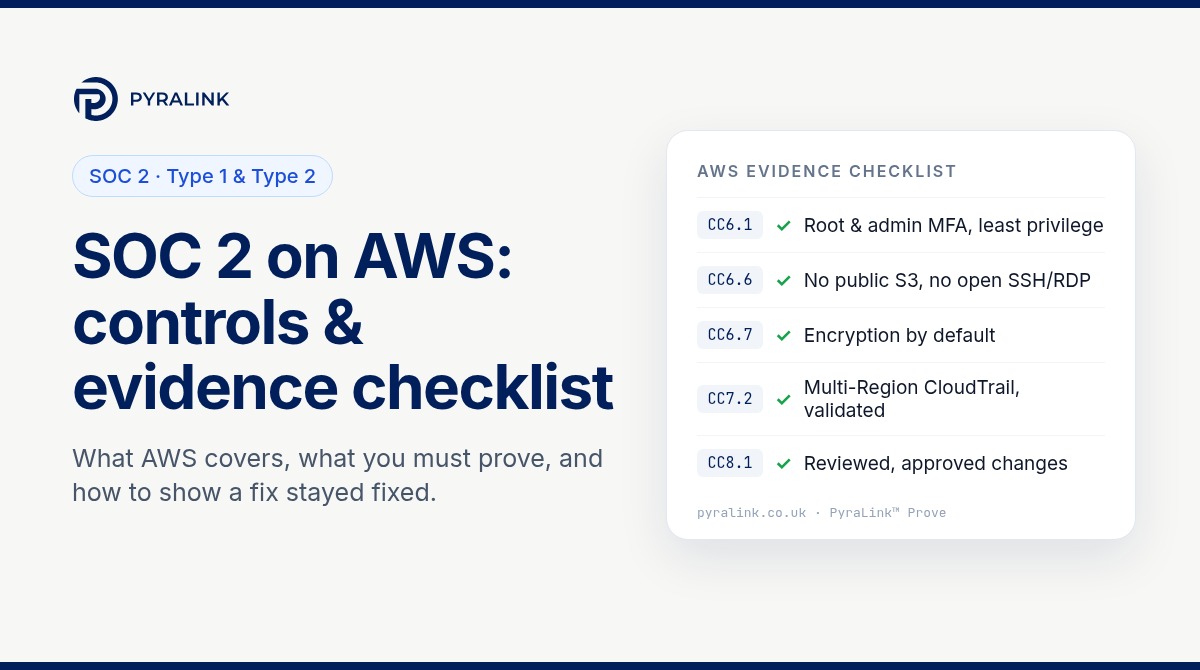
Short answer: running on AWS does not make your service SOC 2 compliant. AWS's own SOC 2 report covers the data centres, physical infrastructure and managed services it operates. Your auditor will test the controls you own: who can reach your AWS accounts, what is exposed to the internet, whether data is encrypted, whether activity is logged and reviewed, how changes are approved and whether backups can be restored. For a Type 2 report you also have to show that those controls worked throughout the observation period, not just on the day you took a screenshot.
This guide sets out who is responsible for what, then gives a criterion-by-criterion checklist of the AWS settings and evidence auditors usually ask for, with read-only commands you can run today. It is written for UK SaaS and technology teams preparing a first SOC 2 report, often because a US customer has asked for one.
What SOC 2 actually asks for
SOC 2 is an attestation report issued by an independent CPA firm against the AICPA's Trust Services Criteria (2017 criteria, with points of focus revised in 2022). Security is always in scope and is tested through the Common Criteria, CC1 to CC9. Availability, Processing Integrity, Confidentiality and Privacy are optional categories that you add when your customer commitments call for them.
There are two report types:
- Type 1 assesses whether your controls are suitably designed at a single point in time.
- Type 2 also tests whether those controls operated effectively over an observation period agreed with your auditor. Most enterprise buyers ask for Type 2.
The criteria are deliberately technology-neutral. Nothing in them says "enable CloudTrail". Your auditor maps each criterion to the controls you describe in your system description, then tests those controls. That is why the same AWS setting can be good evidence in one report and irrelevant in another: it depends on what you have committed to.
Shared responsibility: what AWS covers and what you own
Under the AWS Shared Responsibility Model, AWS is responsible for security of the cloud and you are responsible for security in the cloud. In SOC 2 terms, AWS is a subservice organisation. Download its SOC 2 report from AWS Artifact, read the section on complementary user entity controls (CUECs), and treat that list as part of your own scope. Those are the controls AWS assumes its customers operate.
| Area | AWS evidences (its SOC 2 report) | You evidence (your SOC 2 report) |
|---|---|---|
| Physical security | Data centres and media disposal | Nothing for AWS-hosted assets; your offices and laptops remain yours |
| Identity | The IAM service itself | Users, roles, MFA, permissions, access reviews |
| Network | Global network infrastructure | VPCs, security groups, public endpoints |
| Data | Encryption features and key infrastructure | Turning encryption on, key policies, bucket policies |
| Logging | Logging services are available | Logs enabled, retained, protected and reviewed |
| Resilience | Regions and Availability Zones | Backups, multi-AZ design, restore tests |
The AWS checklist, criterion by criterion
The mapping below is a practical starting point, not a substitute for your auditor's control matrix. Agree the final mapping with them early.
CC6.1 Logical access: identity and authentication
- Root user has MFA enabled and no access keys; root is not used for day-to-day work.
- Human access goes through single sign-on (for example IAM Identity Center federated to your identity provider) rather than long-lived IAM users.
- MFA is enforced for every human with console access, especially administrators.
- Any remaining access keys are owned, justified and rotated; unused keys are removed.
- Permissions follow least privilege, with no broad
*:*policies attached to everyday roles.
Evidence: the IAM credential report, account summary, permission sets and a dated record of how these looked during the period.
CC6.2 and CC6.3 Provisioning, changes and removal of access
- Joiner, mover and leaver steps cover AWS access, ideally driven from your identity provider.
- Quarterly (or more frequent) access reviews of privileged roles, with reviewer, date and outcome recorded.
Evidence: tickets for a sample of joiners and leavers, plus signed-off access review records. Auditors will sample from across the period.
CC6.6 Boundary protection: what is exposed
- S3 Block Public Access is enabled at account level unless a documented exception exists.
- No security group allows SSH (22) or RDP (3389) from
0.0.0.0/0or::/0. - Databases are not publicly accessible; internet-facing services sit behind a load balancer or gateway.
CC6.7 Data in transit and at rest
- EBS encryption by default is on in every Region you use; RDS storage is encrypted.
- S3 buckets use the encryption your policy requires (new objects are encrypted by default with SSE-S3; record if you require SSE-KMS).
- Public endpoints enforce TLS, and certificates are managed and renewed.
CC7.1 and CC7.2 Detecting misconfiguration and monitoring
- A multi-Region CloudTrail trail is logging, with log file validation enabled and logs stored in a protected bucket.
- Configuration is assessed continuously or on a schedule, and vulnerability findings are triaged within your stated timescales.
- Threat detection alerts reach someone who acts on them, and that action is recorded.
CC7.3 to CC7.5 Incident response
- An incident response plan that names AWS-specific steps (for example, isolating an instance or revoking a role's sessions).
- Records of incidents, or of a tabletop exercise if you had none during the period.
CC8.1 Change management
- Infrastructure is changed through code with peer review and approval, not by hand in the console.
- Emergency changes are logged and reviewed after the event.
Evidence: pull requests with approvals, deployment logs and CloudTrail records that line up with them.
A1.2 and A1.3 Availability (if in scope)
- Backups configured for production data stores, with retention that matches your commitments.
- At least one documented restore test in the period, with the result.
CC9.2 Vendors
- AWS's SOC 2 report reviewed annually, with CUECs mapped to your controls. Do the same for other critical suppliers.
Read-only commands to baseline your account
These AWS CLI calls only read configuration. Run them with a read-only role in each account and Region in scope, and keep the output with a date.
# Root MFA and root access keys (look for AccountMFAEnabled and AccountAccessKeysPresent)
aws iam get-account-summary

# Credential report: MFA, password and access key age for every IAM user
aws iam generate-credential-report
aws iam get-credential-report --query Content --output text | base64 --decode

# Account-level S3 Block Public Access
aws s3control get-public-access-block --account-id 111122223333

# CloudTrail: multi-Region, log validation and whether it is logging
aws cloudtrail describe-trails
aws cloudtrail get-trail-status --name YOUR-TRAIL

# EBS encryption by default (per Region)
aws ec2 get-ebs-encryption-by-default

# Security groups open to the internet
aws ec2 describe-security-groups --filters Name=ip-permission.cidr,Values=0.0.0.0/0

# RDS: encryption and public accessibility
aws rds describe-db-instances --query "DBInstances[].[DBInstanceIdentifier,StorageEncrypted,PubliclyAccessible]"
Output like this is a good baseline. On its own it is still point-in-time evidence, which brings us to the main problem with Type 2.
Why screenshots fail a Type 2 audit
In a Type 2 audit, the auditor samples across the observation period. A screenshot of the S3 Block Public Access page taken in March says nothing about June. If a setting was switched off for a week and back on again, you need to be able to show when, why and who approved it. Three habits make this manageable:
- Collect on a schedule, not on demand. Re-run the same checks at a fixed interval so you have a dated series, not a single snapshot.
- Record the fix, then prove it held. When you remediate a finding, link the ticket to a later check that shows the setting is still correct.
- Make evidence hard to dispute. Keep records dated and protected from editing, so an auditor can rely on them without re-performing every test.
A seven-step plan to get audit-ready
- Define the system boundary. List the AWS accounts, Regions and services that support the in-scope product. Keep shared or experimental accounts out of scope, or bring them up to the same standard.
- Read AWS's SOC 2 report from AWS Artifact and map its CUECs to your controls.
- Baseline every account with the checks above and record the results.
- Fix the high-impact gaps first: root and admin MFA, public exposure, logging, encryption by default.
- Automate collection so the same checks run on a schedule and produce dated records.
- Gather the non-technical evidence AWS settings cannot show: policies, risk assessment, access reviews, onboarding and offboarding records, vendor reviews and incident records.
- Run a readiness review against your auditor's control list before the observation period starts, so the period does not begin with known gaps.
If you also run workloads on Azure or Google Cloud, the same criteria apply. Use the same control wording across providers so one control in your matrix is backed by evidence from each cloud. Our guide to multi-cloud compliance audit evidence covers that in more detail, and the ISO 27001 readiness roadmap shows where the same AWS evidence can be reused.
For Azure specifically, our ISO 27001 on Azure controls and evidence checklist lists the settings and read-only checks behind access, logging, network and encryption controls.
Where PyraLink Prove fits
PyraLink Prove connects to AWS, Azure and Google Cloud with read-only access that you grant and can revoke, with no agents on your servers. Its checks are mapped to SOC 2 alongside ISO 27001, Cyber Essentials, NIS2 and DORA, so one observation can support several frameworks. Each evidence record is digitally signed and dated, so later changes are detectable, and you or an assessor can verify the evidence independently, without access to the platform. When a fix is applied, PyraLink Prove re-scans the affected resource and reopens the ticket if the issue is still there, which is exactly the "prove it held" record a Type 2 audit needs.
PyraLink Prove does not issue SOC 2 reports, and it does not replace the policy and process evidence listed in step 6. It focuses on the technical cloud evidence. If you are weighing it against a broader compliance platform, see how PyraLink Prove compares with Vanta and with Drata. For using the same evidence in sales conversations, read how to defend customer security questionnaires with evidence.
Need Cyber Essentials on the same AWS accounts? Our Cyber Essentials on AWS checklist maps the five v3.3 controls to the evidence assessors ask for.
Working toward NIS2 as well as SOC 2? See our NIS2 cloud compliance checklist for Article 21(2) evidence across AWS, Azure and Google Cloud.
Frequently asked questions
Does using AWS make my service SOC 2 compliant?
No. AWS's SOC 2 report covers the infrastructure AWS operates. Your auditor tests the controls you own, such as identity, network exposure, encryption, logging, change management and backups, plus the complementary user entity controls listed in AWS's report.
What is the difference between SOC 2 Type 1 and Type 2?
Type 1 assesses whether controls are suitably designed at a point in time. Type 2 also tests whether they operated effectively over an observation period agreed with your auditor, so you need dated evidence from across that period.
Where do I get AWS's SOC 2 report?
AWS customers can download AWS's SOC 2 report from AWS Artifact in the AWS console. AWS also publishes a public SOC 3 report.
Are screenshots acceptable SOC 2 evidence?
Auditors may accept them for some controls, but a screenshot only shows one moment. For a Type 2 report, repeated, dated records from read-only API checks are easier to sample and harder to dispute.
Can PyraLink Prove issue a SOC 2 report?
No. Only an independent CPA firm can issue a SOC 2 report. PyraLink Prove collects signed, dated technical evidence from AWS, Azure and Google Cloud, mapped to SOC 2, that you can share with your auditor.
Sources: AICPA: 2017 Trust Services Criteria (with revised points of focus, 2022); AWS Shared Responsibility Model; AWS SOC compliance FAQs; AWS Security Blog: AICPA SOC 2 Compliance Guide on AWS.