
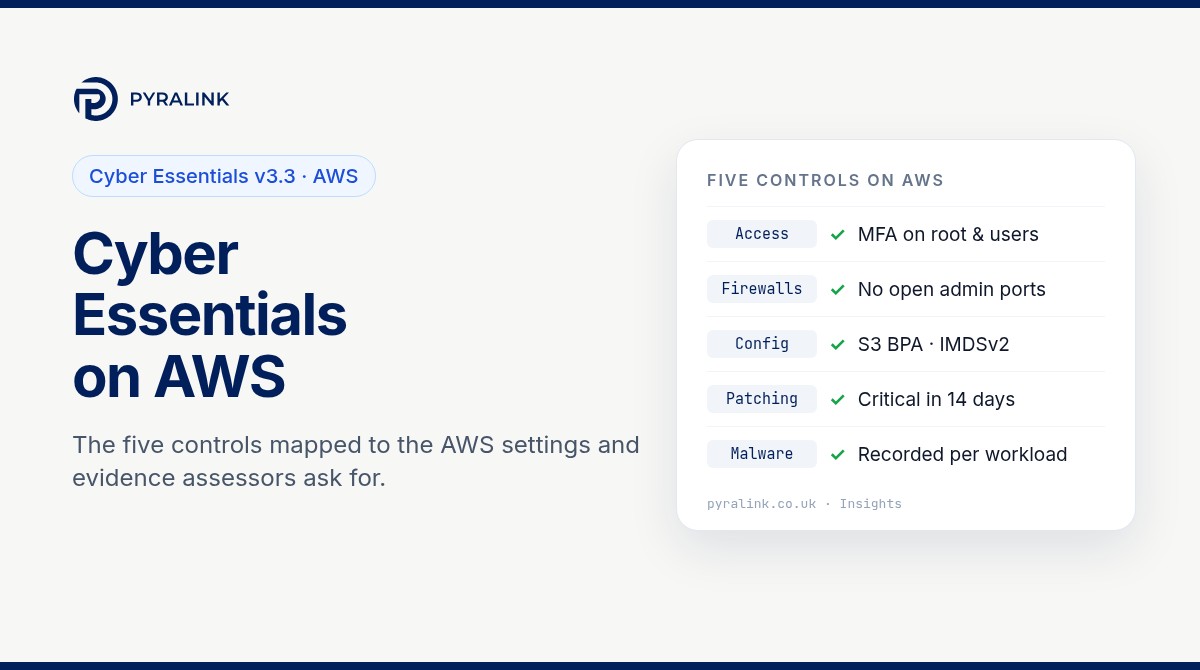
Short answer: if your organisation's data or services are hosted on AWS, those accounts are in scope for Cyber Essentials and cannot be excluded. AWS implements part of some controls (its data centres, the hypervisor and the managed layers of services such as Lambda), but you remain responsible for showing that all five technical controls are met for everything you configure. On AWS that means the root user, IAM and IAM Identity Center sign-ins, security groups, instance patching and how each workload is protected from malware. Since 27 April 2026, not using MFA on a cloud service where it is available is an automatic fail, and the AWS console offers MFA.
This guide maps each control in Cyber Essentials: Requirements for IT Infrastructure v3.3 to the AWS settings that evidence it, gives read-only AWS CLI checks you can run today, and lists the evidence an assessor is likely to ask for. Your certification body's question set still decides what a pass looks like.
What Cyber Essentials v3.3 says about AWS
Version 3.3 of the requirements applies to assessment accounts created after 27 April 2026. It adds a definition of a cloud service and a direct statement that cloud services cannot be excluded from scope. It also names AWS twice: Amazon EC2 as an example of Infrastructure as a Service (IaaS) and AWS Lambda as an example of Platform as a Service (PaaS). Most AWS estates contain both.
Two other points matter on AWS. All accounts your organisation owns are in scope even when a supplier or managed service provider uses them, so a partner's IAM role in your account counts. And where AWS implements a control on your behalf, you should be able to point to a contractual commitment or a document referenced by contract. The AWS shared responsibility model page is the usual reference; keep a dated copy in your evidence folder.
Who does what on AWS
The NCSC table of who typically implements each control translates to AWS like this:
| Control | EC2, EKS nodes you manage (IaaS) | Lambda, Elastic Beanstalk, RDS (PaaS) | Console, IAM Identity Center |
|---|---|---|---|
| Firewalls | You and AWS | AWS, sometimes you | AWS |
| Secure configuration | You and AWS | You and AWS | You and AWS |
| Security update management | You and AWS | You and AWS | AWS |
| User access control | You | You | You |
| Malware protection | You and AWS | AWS, sometimes you | AWS |
User access control is yours on every service type. That is where AWS accounts most often fall short, usually because of an old IAM user, a root user without MFA or a forgotten access key.
Step 1: define the AWS scope
List what you actually run before you answer the questionnaire; forgotten sandbox accounts are a common surprise.
- Every account in your AWS Organization, including sandboxes and proof-of-concept accounts that still hold data.
- Every region in use. AWS CLI commands are regional, so a check run only in eu-west-2 can miss an instance in us-east-1.
- How people sign in: IAM users, IAM Identity Center, or an external identity provider federated into AWS.
- Third parties with access: cross-account roles and any IAM users created for suppliers.
# Read-only: accounts in the organisation
aws organizations list-accounts --query "Accounts[].[Id,Name,Status]" --output table

# Read-only: instances, platform and public IP in one region
aws ec2 describe-instances --region eu-west-2 \
  --query "Reservations[].Instances[].[InstanceId,PlatformDetails,PublicIpAddress,State.Name]" --output table
Step 2: user access control (the control you always own)
v3.3 says authentication to cloud services must always use MFA, administrative work must be done from separate accounts used only for administration, and accounts must be removed or disabled when no longer needed. Where a password is part of MFA, it must be at least 8 characters with no maximum length restriction. On AWS:
- Root user. MFA on, no access keys, and not used for day-to-day work. Passkeys and FIDO2 security keys count as MFA under v3.3.
- Human sign-in. Prefer IAM Identity Center or a federated identity provider with MFA enforced for every user. If you still have IAM users with console passwords, each one needs an MFA device.
- Separate admin access. Administrator permission sets or roles should be assumed only for admin tasks, not by the account someone uses for email and browsing.
- Access keys. Replace long-lived keys with roles and short-lived credentials where you can, and remove keys nobody has used for months.
- Suppliers. Review every cross-account role and supplier user on the same cycle as staff accounts.
# Read-only: is MFA on the root user, and does root have access keys?
aws iam get-account-summary \
  --query "SummaryMap.{RootMFA:AccountMFAEnabled,RootKeys:AccountAccessKeysPresent}"

# Read-only: credential report (MFA, password and key age for every IAM user)
aws iam generate-credential-report
aws iam get-credential-report --query Content --output text | base64 -d > credential-report.csv
The credential report shows, per IAM user, whether a password is enabled, whether MFA is active and when each access key was last used.
Step 3: firewalls (security groups and network ACLs)
For IaaS the boundary firewall is largely yours. v3.3 requires unauthenticated inbound connections to be blocked by default, inbound rules to be approved and documented with the business need, and unnecessary rules removed. Administrative interfaces should not be reachable from the internet unless there is a documented need and they are protected by MFA or an IP allow list.
- Find security groups that allow 0.0.0.0/0 or ::/0. Remember IPv6: a rule closed on IPv4 can still be open on IPv6.
- Remove internet access to SSH (22), RDP (3389) and database ports; Systems Manager Session Manager lets you administer instances with no inbound ports open.
- Use the rule description field to record the business need for each internet-facing rule, so the documentation lives next to the rule.
- Check default VPCs and security groups in every region, including ones you think you do not use.
# Read-only: security groups with rules open to the whole internet (IPv4 and IPv6)
aws ec2 describe-security-groups --filters Name=ip-permission.cidr,Values=0.0.0.0/0 \
  --query "SecurityGroups[].[GroupId,GroupName,VpcId]" --output table
aws ec2 describe-security-groups --filters Name=ip-permission.ipv6-cidr,Values=::/0 \
  --query "SecurityGroups[].[GroupId,GroupName,VpcId]" --output table
Step 4: secure configuration
Secure configuration means removing what you do not need and changing insecure defaults. The most useful AWS settings prevent drift as well as detect it:
- S3 Block Public Access switched on at account level, so a bucket cannot be made public by accident.
- IMDSv2 required on EC2 instances, which closes off a common route for stealing instance credentials.
- Databases off the internet: no RDS instances marked publicly accessible without a recorded reason.
- Unused resources removed: stopped instances, old AMIs and snapshots, unused IAM roles and orphaned Elastic IP addresses.
# Read-only: account-level S3 Block Public Access
aws s3control get-public-access-block --account-id ACCOUNT_ID

# Read-only: instances not requiring IMDSv2 ("optional" means v1 is still allowed)
aws ec2 describe-instances --query "Reservations[].Instances[].[InstanceId,MetadataOptions.HttpTokens]" --output table

# Read-only: publicly accessible RDS instances
aws rds describe-db-instances --query "DBInstances[?PubliclyAccessible==\`true\`].DBInstanceIdentifier"
For a wider list of the settings that tend to drift, see our guide to common cloud misconfigurations and how to prove a fix stays fixed.
Step 5: security update management
All in-scope software must be licensed and supported, have automatic updates on where possible, and receive updates that fix critical or high-risk vulnerabilities (vendor-rated, or CVSS v3 base score 7 or above, or unrated) within 14 days of release. On AWS that covers more than EC2:
- EC2: use Systems Manager Patch Manager or rebuild from fresh images on a schedule, and keep the compliance history. Remove instances running an operating system past its end of support.
- Lambda (PaaS): AWS patches the platform, but you choose the runtime. Functions on deprecated runtimes stop receiving security updates.
- RDS and containers: keep engines on supported versions and rebuild images regularly.
# Read-only: patch compliance for managed instances
aws ssm list-resource-compliance-summaries --filters Key=ComplianceType,Values=Patch,Type=EQUAL
Step 6: malware protection
v3.3 requires an active malware protection mechanism on every in-scope device, using at least one of two options. Anti-malware software is listed as an option for Windows and macOS devices, including servers, and must prevent malware and malicious code from running and block connections to malicious websites. Application allow listing, where only approved, code-signed applications can run, is listed as an option for all devices. For Linux instances, agree the approach with your certification body before the assessment. Detection services that alert after the event do not by themselves stop malware running, so do not present them as your only answer. Record which approach applies to each workload type.
Step 7: keep evidence that holds between renewals
Cyber Essentials Plus adds technical testing, but both levels rely on your controls holding after the day you took a screenshot. This evidence set answers the questions assessors most often ask on AWS:
| What the assessor asks | Where it lives in AWS | What to keep |
|---|---|---|
| Which cloud services are in scope | AWS Organizations account list, regions in use | Dated account and region inventory |
| Is MFA on for every user and admin | IAM credential report, IAM Identity Center or your identity provider | Credential report export and MFA enforcement setting |
| Who has admin rights | IAM policies, permission sets, cross-account roles | Dated list of admins and the last access review |
| What is open to the internet | Security groups, load balancers, public IPs | Rules allowing 0.0.0.0/0 or ::/0, each with a recorded business need |
| Are high and critical updates applied in 14 days | Systems Manager patch compliance, Lambda runtimes, RDS engine versions | Patch compliance history, not one snapshot |
| How malware is handled | Instance agents, golden images, allow-listing | Approach recorded per workload type |
Run the read-only checks on a schedule, save each result with the date, account and region, record each fix, then re-run the check to show it passed.
Where PyraLink™ Prove fits
PyraLink Prove does this evidence job for AWS, Azure and Google Cloud. It connects with read-only access, checks configuration against Cyber Essentials, ISO 27001, SOC 2, NIS2 and DORA, and keeps each result as digitally signed, dated evidence records that you can verify independently. It does not decide whether you pass; it gives you dated proof of the cloud settings behind your answers. If you are also preparing a SOC 2 report on the same accounts, our SOC 2 on AWS checklist shows how much of this evidence you can reuse.
AWS Cyber Essentials checklist
- ☐ Every account and region in use listed in the cloud services answer
- ☐ Root user: MFA on, no access keys, not used day to day
- ☐ MFA enforced for every person who signs in, in IAM Identity Center, your identity provider or on each IAM user
- ☐ Separate admin roles or permission sets used only for administration
- ☐ Unused access keys, IAM users and supplier access removed
- ☐ No security group open to 0.0.0.0/0 or ::/0 on SSH, RDP or database ports; business need recorded for every internet-facing rule
- ☐ S3 Block Public Access on at account level; IMDSv2 required; no public RDS without a recorded reason
- ☐ Supported operating systems, runtimes and engines only; critical and high fixes applied within 14 days
- ☐ Malware protection approach recorded per workload type
- ☐ Dated evidence kept for each check, with a re-check after every fix
Not on AWS alone? Our Cyber Essentials on Google Cloud checklist follows the same control-to-setting approach, and why last year's Cyber Essentials evidence will not pass this year's assessment explains what changed in the current question set.
Sources
- Cyber Essentials: Requirements for IT Infrastructure v3.3, NCSC, April 2026.
- IASME's April 2026 scheme update (upcoming changes to the Cyber Essentials scheme), November 2025.
- AWS shared responsibility model, Amazon Web Services.
Frequently asked questions
Is AWS in scope for Cyber Essentials?
Yes. Under v3.3, cloud services that host your organisation's data or services must be in scope and cannot be excluded. That includes your AWS accounts, the identity service people use to sign in to them, and any accounts a supplier uses on your behalf.
Does AWS's own compliance cover our Cyber Essentials assessment?
No. AWS implements some controls for the platform it runs, but you are responsible for what you configure, and user access control is always yours.
Is MFA mandatory for the AWS console?
Yes. MFA is available for the root user, IAM users and IAM Identity Center, and v3.3 says authentication to cloud services must always use MFA. For assessment accounts created after 27 April 2026, not using MFA where it is available is an automatic fail.
How quickly must EC2 instances be patched?
Updates that fix critical or high-risk vulnerabilities, including anything with a CVSS v3 base score of 7 or above or with no severity given, must be applied within 14 days of release. Unsupported operating systems must be removed or taken out of scope.
Can the same AWS evidence support ISO 27001 or SOC 2?
Largely, yes. MFA records, security group reviews and patch history support controls in all three frameworks.