
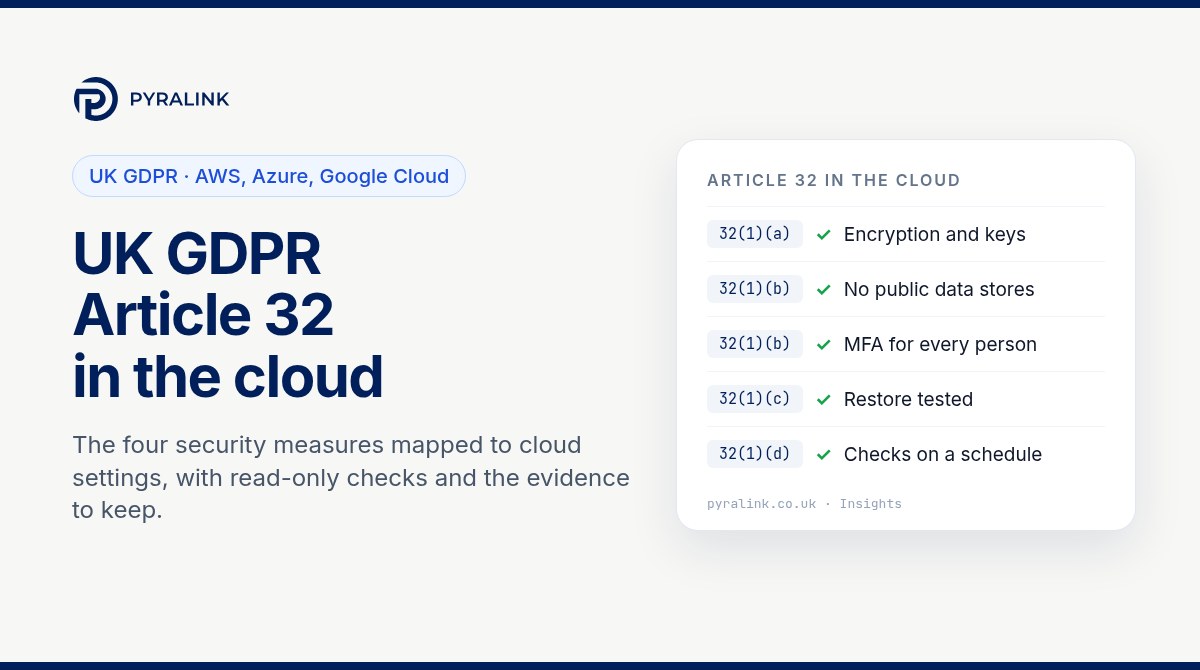
Short answer: Article 32 of the UK GDPR requires controllers and processors to put in place "appropriate technical and organisational measures" for a level of security that matches the risk. It does not list cloud settings. In AWS, Azure or Google Cloud it comes down to four things you can show: personal data is encrypted and, where it makes sense, pseudonymised; access is limited and nothing holding personal data is open to the internet; you can restore data in good time after an incident; and you test your controls regularly. Your cloud provider secures its infrastructure, but the configuration of your accounts is your responsibility, and so is the evidence.
Below: what Article 32 actually says, how each measure maps to AWS, Azure and Google Cloud, read-only checks you can run today, the evidence to keep, and how it applies to AI you run in your own environment.
What Article 32 says
The text is short. Article 32(1) of the UK GDPR says that, taking into account the state of the art, the costs of implementation, the nature, scope, context and purposes of the processing and the risks to individuals, the controller and the processor must implement appropriate measures, "including inter alia as appropriate":
- (a) the pseudonymisation and encryption of personal data;
- (b) the ability to ensure the ongoing confidentiality, integrity, availability and resilience of processing systems and services;
- (c) the ability to restore the availability and access to personal data in a timely manner in the event of a physical or technical incident;
- (d) a process for regularly testing, assessing and evaluating the effectiveness of the measures.
Article 32(2) points you at the risks to weigh: accidental or unlawful destruction, loss, alteration, unauthorised disclosure of, or access to, personal data. Article 32(4) requires steps to make sure people with access only process personal data on the controller's instructions. Article 32(3), whose wording was updated by the Data (Use and Access) Act 2025, lets approved codes of conduct and certification mechanisms be used to help show compliance.
Two points matter for cloud teams. First, the duty applies to processors as well as controllers, so a SaaS company hosting customer data on AWS has its own Article 32 obligations. Second, the word "ongoing" in (b) and the testing duty in (d) mean a one-off hardening exercise is not enough. You need to show the measures kept working.
What "appropriate" means in practice
The ICO guide to data security explains that the UK GDPR does not define the measures you must have. Its checklist expects you to analyse the risks of your processing, have a security policy that is actually implemented, and put in place "basic technical controls such as those specified by established frameworks like Cyber Essentials". It also expects encryption and pseudonymisation where appropriate, a backup process that lets you restore access, regular testing of your measures, and processors that implement appropriate measures too.
For a cloud estate, that gives a sensible baseline: Cyber Essentials controls and the NCSC cloud security principles as the floor, with stronger measures for more sensitive data or larger volumes.
Shared responsibility: what your provider covers
AWS, Microsoft and Google are processors for the infrastructure they run, and they secure their data centres, physical infrastructure and core platform. They do not choose who in your organisation has administrator access, whether a storage bucket is public, which Regions hold personal data, or whether your backups have ever been restored. Check your Article 28 contract terms with each provider, then focus on what you configure.
Article 32 mapped to AWS, Azure and Google Cloud
The table maps each measure to the services where the evidence usually lives. Your own risk assessment decides how far to go for each system.
| Article 32 measure | AWS | Azure | Google Cloud | Evidence worth keeping |
|---|---|---|---|---|
| 32(1)(a) Encryption and pseudonymisation | KMS keys and rotation, EBS encryption by default, RDS and S3 encryption, TLS on load balancers | Key Vault, storage and SQL encryption settings, minimum TLS version on storage accounts | Cloud KMS keys where you need customer-managed keys, Cloud SQL and bucket settings, TLS on load balancers | Key list with owners and rotation, encryption setting per data store, where pseudonymised or tokenised fields live |
| 32(1)(b) Confidentiality and integrity | IAM Identity Center, IAM roles, S3 Block Public Access, security groups | Entra ID Conditional Access, Azure RBAC, network security groups, public network access settings | IAM policies, organisation policies, VPC firewall rules, public access prevention on buckets | MFA for every person, admin list, access reviews, no personal data store open to the internet |
| 32(1)(b) Availability and resilience | Multi-AZ databases, AWS Backup plans | Zone-redundant services, Azure Backup and Recovery Services vaults | Regional or high-availability Cloud SQL, backups and snapshots | Which systems hold personal data and how each one is kept available |
| 32(1)(c) Timely restore | AWS Backup restore jobs, RDS point-in-time recovery | Azure Backup restore points and restore jobs | Cloud SQL backups and point-in-time recovery | A dated restore test for each critical store, with time taken |
| 32(1)(d) Regular testing and evaluation | CloudTrail, AWS Config, Security Hub findings over time | Activity Log, Azure Policy compliance, Defender for Cloud recommendations | Cloud Audit Logs, Security Command Center findings | Scheduled configuration checks, findings and the dates they were fixed |
| 32(4) Act only on instructions | CloudTrail data events on sensitive buckets and databases | Diagnostic settings and Activity Log | Data Access audit logs | Who can read personal data, and logs showing access is tied to a purpose |
Step 1: know where personal data lives
You cannot secure what you have not found. List the accounts, subscriptions and projects that hold personal data, the Regions they use, and the data stores in each: databases, object storage, file shares, data warehouses, log archives and backups. Include test environments that hold copies of production data, and tag resources so the list stays current.
Step 2: run read-only checks
These commands only read configuration. They need read-only roles such as the AWS managed SecurityAudit policy, the Azure Reader role, or the Google Cloud Viewer and Security Reviewer roles. Replace the example account ID, bucket and project names with your own.
# All read-only. Repeat Region-specific checks for every Region that holds personal data.

# AWS: account-level S3 Block Public Access, EBS default encryption, database encryption and backups
aws s3control get-public-access-block --account-id 111122223333
aws ec2 get-ebs-encryption-by-default --region eu-west-2
aws rds describe-db-instances --region eu-west-2 --query 'DBInstances[].[DBInstanceIdentifier,StorageEncrypted,PubliclyAccessible,BackupRetentionPeriod]' --output table
aws cloudtrail describe-trails --query 'trailList[].[Name,IsMultiRegionTrail,LogFileValidationEnabled]' --output table

# Azure: storage accounts (HTTPS only, minimum TLS, anonymous blob access) and SQL public access
az storage account list --query "[].{name:name, httpsOnly:enableHttpsTrafficOnly, minTls:minimumTlsVersion, publicBlob:allowBlobPublicAccess}" -o table
az sql server list --query "[].{name:name, publicAccess:publicNetworkAccess}" -o table
az backup vault list -o table

# Google Cloud: Cloud SQL public IP and backups, bucket public access prevention, project IAM
gcloud sql instances list --format="table(name, settings.ipConfiguration.ipv4Enabled, settings.backupConfiguration.enabled)"
gcloud storage buckets describe gs://YOUR_BUCKET --format="default(public_access_prevention, uniform_bucket_level_access)"
gcloud projects get-iam-policy YOUR_PROJECT_ID --format=json | grep -E "allUsers|allAuthenticatedUsers"
What to look for: any data store with public access or a public IP that does not need it, storage accounts allowing anonymous blob access or TLS below 1.2, databases without encryption or with backups switched off, and logging that only covers one Region. Our guide to common cloud misconfigurations explains how to fix each one and keep it fixed.
Step 3: fix the measures that matter most
- Close public exposure first. Turn on account-level S3 Block Public Access, disable anonymous blob access in Azure storage, enforce public access prevention on Google Cloud buckets, and remove public network access from databases that do not need it.
- Enforce MFA for every person with access to the cloud console or personal data, and remove long-lived access keys for people.
- Decide on keys. Default encryption at rest is now standard on the main storage services, so the real questions are who can use the keys, whether you need customer-managed keys for sensitive data, and whether certain fields should be pseudonymised or tokenised. Our comparison of tokenisation and encryption under UK GDPR covers that choice.
- Test a restore. Pick each critical store holding personal data and restore it to a test environment. Record the date and how long it took. A backup that has never been restored does not prove 32(1)(c).
- Log access to sensitive data. Management logs show who changed settings. For 32(4), turn on data access logging for the stores that hold the most sensitive personal data, and keep it for the period your policy sets.
Step 4: keep evidence that the measures keep working
Article 32(1)(d) asks for a process for regularly testing your measures, and Article 5(2) makes you accountable for showing compliance. A single screenshot from last year will not show "ongoing" confidentiality to the ICO or a customer. Keep:
- Dated results of the same configuration checks, run on a schedule across every account, subscription and project.
- Findings with the date each one was found and the date it was fixed.
- Access reviews with the reviewer's decisions, and restore test records.
- Your risk assessment and the reason for each measure you chose.
The same evidence supports other frameworks. Our guide to multi-cloud compliance audit evidence shows how to collect it once and reuse it, and the Cyber Essentials on AWS checklist covers the baseline controls the ICO refers to.
AI in your own environment is in scope too
Many organisations are choosing to run AI in their own cloud accounts or data centres so they keep control of their data. That sovereignty is worth having, but it also means Article 32 applies to every part of the AI stack that touches personal data: prompts and responses, retrieval data and vector stores, fine-tuning datasets and the logs your AI services write. Apply the same measures: encrypt those stores, keep them private, limit who can read prompt logs, set retention, and include them in your checks and restore tests. If the processing is likely to result in a high risk to individuals, a data protection impact assessment will be needed before you start. For organisations taking sovereignty furthest, our article on air-gapped AI looks at when full isolation is the right control.
Where PyraLink™ Prove fits
PyraLink™ Prove handles the evidence part of this work for AWS, Azure and Google Cloud. It connects with read-only access, runs configuration checks mapped to ISO 27001, SOC 2, Cyber Essentials, NIS2 and DORA, and keeps each result as digitally signed, dated evidence records that you can verify independently. It does not decide whether you comply with the UK GDPR, and it does not replace your risk assessment. What it gives you is dated proof, across the period, of many of the cloud settings that sit behind your Article 32 measures, such as public exposure, MFA, encryption and logging. If you are comparing evidence tools, our comparison pages set out the differences.
UK GDPR Article 32 cloud checklist
- ☐ Accounts, subscriptions, projects and Regions holding personal data are listed and tagged
- ☐ Article 28 terms in place with each cloud provider; your share of the responsibility documented
- ☐ No personal data store open to the internet without a recorded reason
- ☐ MFA enforced for every person; no long-lived personal access keys
- ☐ Encryption at rest confirmed per store; key ownership and rotation recorded; pseudonymisation used where it fits
- ☐ TLS 1.2 or above enforced on services that accept connections
- ☐ Backups on for every critical store, with a dated restore test
- ☐ Management and data access logging in every Region in use, with retention set by policy
- ☐ AI prompts, vector stores and AI logs included in scope
- ☐ Checks run on a schedule, with findings and fix dates kept as evidence
Frequently asked questions
Does UK GDPR Article 32 require encryption?
Not in every case. Article 32 lists encryption and pseudonymisation as measures to use "as appropriate" to the risk. In practice, the ICO expects encryption where it is appropriate, and in the cloud encryption at rest is usually on by default. The questions that decide your position are who can use the keys, whether data is protected in transit, and who can read the data once decrypted.
Is my cloud provider responsible for Article 32 compliance?
Partly. Article 32 applies to both controllers and processors. Your provider is responsible for securing its own infrastructure, and you are responsible for how you configure your accounts, who has access, and how you protect and back up the data. Your contract with the provider should cover its obligations under Article 28.
Is Cyber Essentials or ISO 27001 enough to show Article 32 compliance?
They help, but they do not prove it on their own. The ICO points to Cyber Essentials as an example of basic technical controls, and an ISO 27001 ISMS gives you risk assessment and regular testing. You still need to show that the measures fit the risks of your specific processing and that they kept working.
Does Article 32 apply to AI models we run in our own environment?
Yes, if they process personal data. Prompts, retrieved documents, vector stores, training data and AI service logs can all contain personal data, so they need the same encryption, access control, logging, retention and testing as any other system.
Sources
- legislation.gov.uk, UK GDPR Article 32: Security of processing.
- Information Commissioner's Office, A guide to data security.
- National Cyber Security Centre, Cloud security guidance: the cloud security principles.