
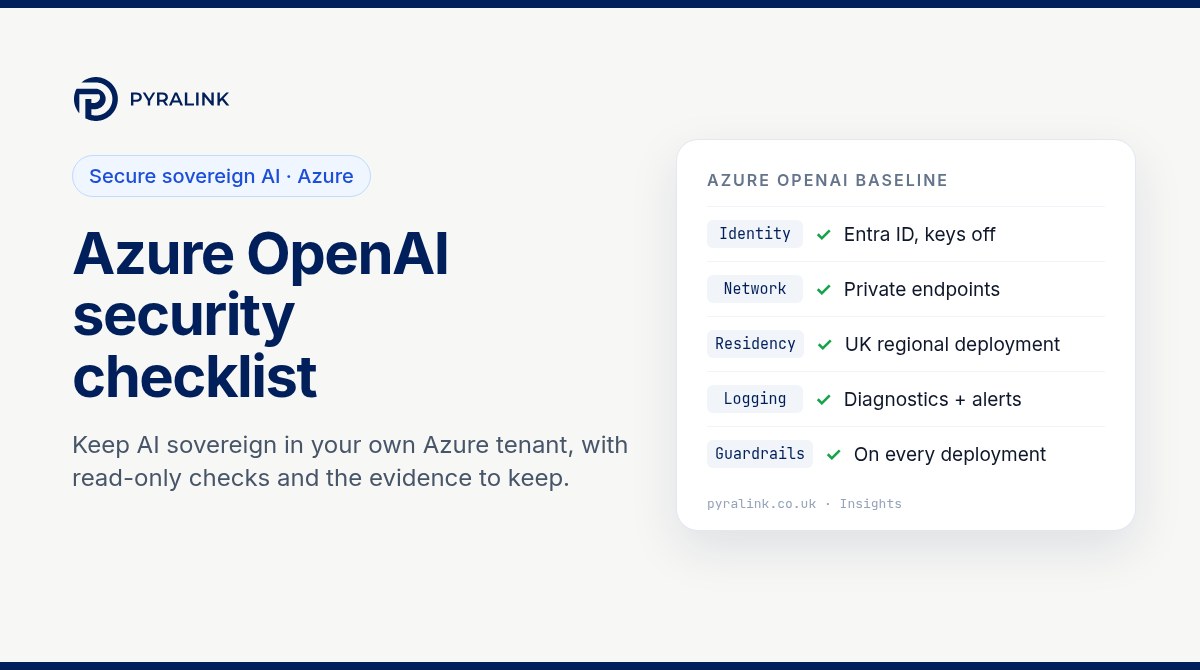
Short answer: Azure OpenAI, now part of Microsoft Foundry, lets you run leading AI models inside your own Azure subscription instead of sending staff to a public chatbot. That is a sound route to sovereign AI, but the service does not configure itself securely for you. A good baseline is: turn off API keys and use Microsoft Entra ID with managed identities, give applications the narrowest role they need, close public network access and use private endpoints, choose a deployment type that keeps prompts and responses where you have promised, switch on diagnostic logging and alerts, keep a guardrail on every deployment, and keep dated evidence that all of this is still true.
This checklist is for UK SMEs whose customers, auditors or insurers have started asking how they use AI. Each step has the setting that matters, a read-only Azure CLI check and the evidence to keep. If you build on AWS instead, the same approach is in our Amazon Bedrock security checklist.
Why Azure OpenAI is a sovereignty decision, not just a model choice
Organisations are adopting AI quickly, and more of them want to run it in their own environment rather than in someone else's app. Azure OpenAI is attractive for exactly that reason. Microsoft's data, privacy and security documentation states that your prompts, completions, embeddings and training data are not available to other customers, are not available to OpenAI or other model providers, and are not used to train foundation models without your permission. The models run in Microsoft's Azure environment and do not call services run by OpenAI.
Those commitments cover the provider's side. Everything else sits with you: who can call the model, from which network, in which deployment type, what is logged and what is stored. Most cloud AI incidents start with ordinary weaknesses, such as an API key in a repository or logging that was never switched on. Stolen credentials used to run up model bills are a real pattern, covered in our article on LLMjacking and owning your AI bill. Keeping AI sovereign means keeping control of that configuration.
Step 1: find every Azure OpenAI and Foundry resource
AI use often starts in a developer's sandbox subscription. Before you secure anything, list what exists. Azure OpenAI resources appear with the kind OpenAI, and Foundry resources with the kind AIServices.
Record each resource, its region, its deployments, the applications and owners that call it, and any connected data sources such as Azure AI Search indexes.
# Read-only: AI resources in the current subscription, with key access and network settings
az cognitiveservices account list \
  --query "[?kind=='OpenAI' || kind=='AIServices'].{name:name,rg:resourceGroup,kind:kind,location:location,keysDisabled:properties.disableLocalAuth,publicAccess:properties.publicNetworkAccess}" \
  --output table
Run it in each subscription. Anything you did not expect is your first finding. Our shadow AI discovery and governance guide covers the wider inventory, including AI tools outside Azure.
Step 2: turn off API keys and use Entra ID
Every Azure OpenAI resource has two API keys, and anyone holding one can call your models from anywhere the network allows. Keys end up in code, configuration files and chat messages. Microsoft's guidance is to use Microsoft Entra ID instead: applications running in Azure use a managed identity, and people sign in with their own accounts.
- Set
disableLocalAuthtotrueon each resource, and assign the built-in Azure Policy "Azure AI Services resources should have key access disabled (disable local authentication)" at subscription or management group level so new resources follow suit. - Allow for the delay. Microsoft notes the change is not instant: the gateway can keep accepting old keys for minutes and sometimes several hours. Confirm that an old key now returns HTTP 401 before you record the control as done.
- Give applications the Cognitive Services OpenAI User role on the specific resource, not the resource group. It allows inference calls without management rights.
- Keep Contributor and Owner roles for a small group of named administrators, because management roles can change network settings and deployments.
# Read-only: who holds which role on one resource
RID=$(az cognitiveservices account show -g <resource-group> -n <resource-name> --query id -o tsv)
az role assignment list --scope "$RID" --include-inherited \
  --query "[].{who:principalName,type:principalType,role:roleDefinitionName}" --output table
Step 3: keep AI traffic off the public internet
By default a resource accepts calls from any network. For anything beyond a test, set public network access to disabled, or to selected networks, and connect applications through a private endpoint in your virtual network. Clients keep using the resource's custom subdomain; private DNS resolves it to the private address. Public network access is a separate setting from the private endpoint, so check both.
# Read-only: network settings and private endpoints for one resource
az cognitiveservices account show -g <resource-group> -n <resource-name> \
  --query "{public:properties.publicNetworkAccess,defaultAction:properties.networkAcls.defaultAction,subdomain:properties.customSubDomainName}"
az network private-endpoint-connection list --id "$RID" \
  --query "[].{name:name,status:properties.privateLinkServiceConnectionState.status}" --output table
Step 4: choose a deployment type that matches your data promise
This is the step most teams get wrong, because the default choice in the portal is often Global Standard. Microsoft's deployment types documentation is clear that data stored at rest stays in the resource's Azure geography, but where prompts and responses are processed depends on the deployment type:
| Deployment type | Where prompts and responses are processed | Fits a UK-only promise? |
|---|---|---|
| Global (Global Standard, Global Provisioned, Global Batch) | Any Azure region where the model is deployed | No |
| Data Zone (Data Zone Standard, Data Zone Provisioned) | Anywhere in a Microsoft-defined zone: United States, European Union or Asia Pacific | No. The EU data zone covers EU member states; the UK is not one |
| Standard (regional) and Regional Provisioned | The Azure geography of the resource, with possible movement between regions in that geography for operational reasons | Yes, if the resource is in a UK region and the model you need is offered there |
If your contracts, privacy notice or public sector customers say UK only, a UK South or UK West resource with a Global or Data Zone deployment does not meet that promise. Use a Standard or Regional Provisioned deployment in a UK region, and check model availability first, because newer models often arrive on Global deployments before regional ones. Batch processing is a Global deployment type, so it needs the same decision.
# Read-only: each deployment, its model and its deployment type (SKU)
az cognitiveservices account deployment list -g <resource-group> -n <resource-name> \
  --query "[].{deployment:name,model:properties.model.name,version:properties.model.version,sku:sku.name,guardrail:properties.raiPolicyName}" \
  --output table
A GlobalStandard or DataZoneStandard SKU on a workload you have described as UK-only is a finding to fix or to record as an accepted risk.
Step 5: understand abuse monitoring
Models sold by Azure include abuse monitoring. If it detects patterns that may break the product terms, a sample of prompts and completions can be reviewed, automatically first and by authorised Microsoft reviewers where needed, with data for human review stored in your resource's geography. Some customers can apply for modified abuse monitoring, which removes that storage and human review; Microsoft decides eligibility.
Microsoft has also announced a change: modified abuse monitoring continues for models made available before 1 November 2026 under existing approvals, but will not be available for models released on or after that date, from a future date it will announce with at least 30 days' notice. If your data protection impact assessment relies on modified abuse monitoring, record which models it covers and review the assessment before you move to a newer model.
Step 6: switch on logging, and watch the bill
The Azure activity log records management actions automatically, such as role, key and network changes. Resource logs for requests are not collected until you create a diagnostic setting and send them to a Log Analytics workspace, storage account or event hub. Platform metrics such as processed prompt tokens and generated tokens are collected automatically and make good alert signals.
# Read-only: is anything collecting resource logs for this resource?
az monitor diagnostic-settings list --resource "$RID" \
--query "[].{name:name,workspace:workspaceId,logs:logs[?enabled].category}" --output json- Create a diagnostic setting for every production resource, with retention set by your logging policy.
- Alert on sudden rises in token use per deployment, on key listing or regeneration, and on any change to network or guardrail settings.
- Restrict who can read the logs. Request logs and any application logs that record prompts can contain personal data, so they need the same protection as the data itself, as our UK GDPR Article 32 cloud checklist explains.
Step 7: keep guardrails on, and treat retrieved content as untrusted
Every deployment has a guardrail (previously called a content filter) that screens prompts and completions. Keep it on every production deployment, record who may change it, and use prompt shields where models read documents, emails or web pages, because indirect prompt injection arrives through content rather than through the user. Our article on AI email agents and invoice prompt injection shows how that attack works in practice. Never quietly retry a filtered request with the guardrail removed.
When you ground answers on your own data, the data source keeps its own permissions. An Azure AI Search index that everyone can query will return documents to everyone, whatever the model does. Apply the access rules you would apply to the source system.
Step 8: control what the service stores
Inference itself is stateless, but some features store data in your resource: uploaded files and vector stores, Responses API message history, Assistants threads, stored completions and fine-tuning data. Microsoft states that this data is stored in the resource's geography, encrypted at rest with Microsoft-managed keys by default, with the option of a customer-managed key, and can be deleted by you at any time. Decide which features you need, whether you need a customer-managed key in Azure Key Vault, and who deletes stored conversations and when. Preview features may not meet all of these conditions.
The evidence to keep
Customers and auditors tend to ask the same questions about AI. Dated records answer them faster than screenshots. The same records also support Annex A evidence if you are working towards ISO 27001; see our ISO 27001 on Azure checklist.
| What a customer or auditor asks | Where it lives in Azure | What to keep |
|---|---|---|
| Who can call the models, and how | Role assignments on the resource, the disableLocalAuth property, Azure Policy | Dated role list per resource, proof that key access is off, the policy assignment |
| Can it be reached from the internet | Public network access setting, private endpoint connections | Network setting per resource and the approved private endpoints |
| Where is our data processed | Deployment SKU per model, resource location | Deployment list with SKU names and the residency decision behind each one |
| Who used it, and is anything unusual | Activity log, diagnostic settings, token and request metrics | Diagnostic setting per resource, retention, the alert rules and their recipients |
| What stops harmful or injected content | Guardrail (content filter) configuration on each deployment | The guardrail assigned to each deployment and who approved any change |
| What data is stored, and for how long | Files, vector stores, Responses API and Assistants state, stored completions | Which stateful features are on, the key used, and the deletion routine |
The NCSC guidelines for secure AI system development make the same point at a higher level: secure design, secure deployment and secure operation, including logging and monitoring, all have to be evidenced, not assumed.
Where PyraLink™ Prove fits
PyraLink™ Prove connects to Azure, AWS and Google Cloud with read-only access, checks the configuration of the environment your AI runs in and maps each check to ISO 27001, SOC 2, Cyber Essentials, NIS2 and DORA, with ISO/IEC 42001 and EU AI Act mappings for AI workloads. Results are kept as digitally signed, dated evidence records that you can verify independently, so you can show that a control was in place on a given date rather than just today. Nothing is installed on your servers. It supports your own assessment; it does not decide whether you are compliant. If you are weighing it against other tools, our comparison pages set out the differences.
Azure OpenAI security checklist
- ☐ Every Azure OpenAI and Foundry resource listed, with an owner
- ☐ API keys disabled, enforced by Azure Policy, and confirmed with an old key returning 401
- ☐ Applications use managed identities with Cognitive Services OpenAI User on the specific resource
- ☐ Public network access disabled or restricted, with private endpoints approved
- ☐ Deployment type per model matches your data residency promise
- ☐ Abuse monitoring position recorded in your risk or data protection assessment
- ☐ Diagnostic settings on every production resource, with alerts on token spikes and setting changes
- ☐ Guardrail on every production deployment, with prompt shields where content is retrieved
- ☐ Stored data features reviewed, keys decided and deletion scheduled
- ☐ Checks repeated on a schedule, with dated evidence kept
Frequently asked questions
Is my data used to train Azure OpenAI models?
No, according to Microsoft's documentation. Prompts, completions, embeddings and training data are not available to OpenAI or other model providers and are not used to train foundation models without your permission or instruction. Fine-tuned models are available only to you. Abuse monitoring can still review flagged content, as described in step 5.
Does Azure OpenAI keep data in the UK?
Only if you choose the right deployment type. Data stored at rest stays in the resource's Azure geography, but Global deployments can process prompts and responses in any region where the model is deployed, and Data Zone deployments anywhere in the US, EU or Asia Pacific zone. For UK-only processing, use a Standard or Regional Provisioned deployment in a UK region, where the model is available.
Should we disable API keys for Azure OpenAI?
Yes, for production. Microsoft Entra ID with managed identities removes long-lived secrets from your code and lets you control access through roles. Set disableLocalAuth to true, enforce it with Azure Policy, and allow time for the change to take effect before you test it.
What is the difference between Azure OpenAI and Microsoft Foundry?
Microsoft Foundry, previously Azure AI Foundry, is Microsoft's platform for building AI applications and agents. Azure OpenAI models are among the models sold by Azure in Foundry. The security controls in this checklist apply to both, because they sit on the same Azure resource types, identity, networking and logging.
Sources
- Microsoft Learn, Data, privacy, and security for Models sold by Azure in Microsoft Foundry.
- Microsoft Learn, Deployment types for Microsoft Foundry Models.
- National Cyber Security Centre, Guidelines for secure AI system development.