
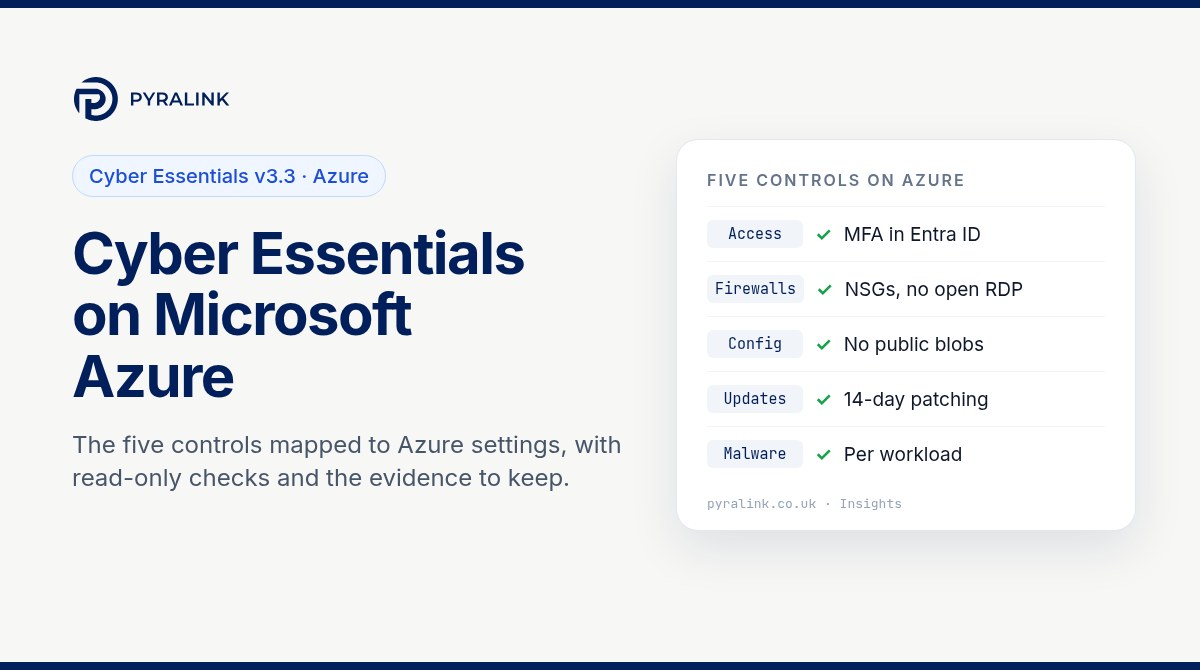
Short answer: if your organisation's data or services are hosted on Microsoft Azure, those subscriptions are in scope for Cyber Essentials and cannot be excluded. Microsoft implements part of some controls, but you must show that all five technical controls are met for everything you configure. On Azure that means Microsoft Entra ID sign-ins and MFA, role assignments, network security group (NSG) rules, VM patching and how each workload is protected from malware. Microsoft's own mandatory MFA for the Azure portal helps, but it does not cover every user or every service, so it is not your Cyber Essentials evidence on its own.
This guide maps each control in Cyber Essentials: Requirements for IT Infrastructure v3.3 to the Azure settings that evidence it, gives read-only Azure CLI checks you can run today and lists the evidence an assessor is likely to ask for. Your certification body still decides what a pass looks like. If you also run AWS, our Cyber Essentials on AWS checklist follows the same structure.
What Cyber Essentials v3.3 says about Azure
Version 3.3 of the requirements applies to assessment accounts created after 27 April 2026. It adds a definition of a cloud service and states plainly that cloud services cannot be excluded from scope. It also uses Azure Web Apps as its example of Platform as a Service (PaaS), and lists Microsoft 365 as an example of Software as a Service (SaaS). Most Azure estates contain all three: VMs you manage, PaaS such as App Service, and the Entra ID tenant people sign in with.
Every account your organisation owns is in scope, even when a supplier uses it, so a partner's guest account or delegated access counts. Where Microsoft implements a control for you, keep a dated copy of its shared responsibility documentation as the reference.
Who does what on Azure
The NCSC table of who typically implements each control translates to Azure services like this:
| Control | Virtual machines and VM scale sets (IaaS) | App Service, Azure Functions, Azure SQL Database (PaaS) | Azure portal and Microsoft Entra ID |
|---|---|---|---|
| Firewalls | You and Microsoft | Microsoft, sometimes you | Microsoft |
| Secure configuration | You and Microsoft | You and Microsoft | You and Microsoft |
| Security update management | You and Microsoft | You and Microsoft | Microsoft |
| User access control | You | You | You |
| Malware protection | You and Microsoft | Microsoft, sometimes you | Microsoft |
User access control is yours on every service type, and on Azure it runs through Entra ID, which makes the tenant the most important part of the assessment.
Step 1: define the Azure scope
List what you actually run before you answer the questionnaire; forgotten proof-of-concept subscriptions are a common surprise.
- Every subscription in your tenant, including development and sandbox subscriptions that still hold data.
- Every region in use. Azure Resource Graph can query every subscription you can read in one go.
- How people sign in: cloud-only Entra ID accounts, synchronised accounts or a federated identity provider.
- Third parties with access: guest users, partner relationships and supplier service principals.
# Read-only: subscriptions you can see
az account list --query "[].{name:name,id:id,state:state}" --output table
# Read-only: resource count per subscription and region (Resource Graph extension)
az graph query -q "Resources | summarize resources=count() by subscriptionId, location | order by resources desc"
If you run AI services such as Azure OpenAI, they are cloud services holding your data too, so include them. Our Azure OpenAI security checklist covers the settings specific to those resources.
Step 2: user access control and MFA in Entra ID
v3.3 says authentication to cloud services must always use MFA, administrative work must be done from separate accounts used only for administration, and accounts must be removed or disabled when no longer needed. Where a password is part of MFA, it must be at least 8 characters with no maximum length restriction. The IASME question set marks missing MFA for cloud administrators and for cloud users as an automatic fail.
Why Microsoft's mandatory MFA is not enough
Microsoft's mandatory MFA for Azure requires MFA for sign-ins to the Azure portal, Microsoft Entra admin center and Intune admin center, and since 1 October 2025 enforcement has been rolling out to Azure CLI, Azure PowerShell, infrastructure-as-code tools and the REST API for create, update and delete operations. Useful, but not the same as the Cyber Essentials requirement:
- It covers Azure management sign-ins. Microsoft states that users are not required to use MFA for other applications, websites or services hosted on Azure; their owners decide.
- Global Administrators can postpone the enforcement date for their tenant, so you cannot assume it is active.
- Cyber Essentials expects MFA for all users of your cloud services, not only administrators using the portal.
Your evidence should therefore be your own policy. That is either Entra ID security defaults or, more commonly, Conditional Access policies requiring MFA for all users, with a short and documented list of exclusions such as break-glass accounts protected by a passkey. Passkeys and FIDO2 keys count as MFA under v3.3. Also block legacy authentication, which cannot do MFA.
- Separate admin accounts. Owner and Global Administrator rights belong on dedicated admin accounts, ideally activated just in time with Privileged Identity Management.
- Service principals. Prefer managed identities to client secrets, and remove unused secrets and service principals.
- Leavers and guests. Review guest users and supplier access on the same cycle as staff accounts.
# Read-only: is security defaults on? (Microsoft Graph, needs Policy.Read.All)
az rest --method get --url "https://graph.microsoft.com/v1.0/policies/identitySecurityDefaultsEnforcementPolicy" --query isEnabled
# Read-only: Conditional Access policies and their state
az rest --method get --url "https://graph.microsoft.com/v1.0/identity/conditionalAccess/policies" \
  --query "value[].{name:displayName,state:state}" --output table
# Read-only: who is registered for MFA (needs AuditLog.Read.All; results are paged)
az rest --method get --url "https://graph.microsoft.com/v1.0/reports/authenticationMethods/userRegistrationDetails" \
  --query "value[].{user:userPrincipalName,admin:isAdmin,mfaRegistered:isMfaRegistered}" --output table
# Read-only: who holds Owner or User Access Administrator on Azure resources
az role assignment list --all --include-inherited \
  --query "[?roleDefinitionName=='Owner' || roleDefinitionName=='User Access Administrator'].{who:principalName,type:principalType,role:roleDefinitionName,scope:scope}" --output table
A policy in report-only mode enforces nothing, so check the state is enabled.
Step 3: firewalls (network security groups)
For IaaS the boundary firewall is largely yours. v3.3 requires unauthenticated inbound connections to be blocked by default, inbound rules to be approved and documented with the business need, and unnecessary rules removed. Administrative interfaces should not be reachable from the internet unless there is a documented need and they are protected by MFA or an IP allow list.
NSG default rules end with DenyAllInbound at priority 65500, so internet traffic is blocked unless a custom rule allows it. The risk is the custom rules people add, often a quick RDP or SSH rule from "Any".
- Find inbound allow rules whose source is
*,Internetor0.0.0.0/0, and check the pluralsourceAddressPrefixesfield too. - Remove internet access to RDP (3389), SSH (22) and database ports. Azure Bastion or just-in-time VM access let you administer VMs without leaving those ports open.
- Record the business need and approver in each rule's description field.
- Review public IP addresses attached to VMs.
# Read-only: NSG inbound allow rules open to the internet, across subscriptions
az graph query -q "Resources | where type =~ 'microsoft.network/networksecuritygroups' | mv-expand r = properties.securityRules | where r.properties.direction =~ 'Inbound' and r.properties.access =~ 'Allow' and tostring(r.properties.sourceAddressPrefix) in~ ('*', 'Internet', '0.0.0.0/0', 'Any') | project subscriptionId, nsg = name, rule = tostring(r.name), ports = tostring(r.properties.destinationPortRange)"
# Read-only: public IP addresses and what they are attached to
az network public-ip list --query "[].{name:name,ip:ipAddress,attachedTo:ipConfiguration.id}" --output table
Step 4: secure configuration
Secure configuration means removing what you do not need and changing insecure defaults. On Azure the most useful settings stop drift as well as detect it:
- Storage accounts: anonymous blob access disallowed, HTTPS only and a current minimum TLS version.
- Databases off the internet: public network access disabled on Azure SQL and other database servers unless there is a recorded reason, with private endpoints instead.
- VM credentials: a unique local administrator name and password per VM, SSH keys for Linux, and Entra ID sign-in where you can use it.
- Unused resources removed: stopped VMs, old snapshots, orphaned disks and public IPs, stale app registrations.
- Guardrails: Azure Policy assignments that deny or audit risky settings on new resources.
# Read-only: storage accounts that still allow anonymous blob access or old TLS
az storage account list --query "[].{name:name,anonymousBlob:allowBlobPublicAccess,httpsOnly:enableHttpsTrafficOnly,minTls:minimumTlsVersion}" --output table
# Read-only: Azure SQL servers and whether public network access is on
az sql server list --query "[].{name:name,rg:resourceGroup,publicAccess:publicNetworkAccess}" --output table
For a wider list of the settings that tend to drift across all three clouds, see our guide to common cloud misconfigurations and how to prove a fix stays fixed.
Step 5: security update management
All in-scope software must be licensed and supported, have automatic updates on where possible, and receive updates that fix critical or high-risk vulnerabilities (vendor-rated, CVSS v3 base score 7 or above, or unrated) within 14 days of release. The question set treats missing that window as an automatic fail. On Azure that covers more than VMs:
- VMs: Azure Update Manager can run periodic assessments, which check for updates every 24 hours, and apply critical and security updates on a schedule you set. Keep the history: it shows the 14-day window being met over time. Remove VMs on unsupported operating systems.
- App Service and Functions (PaaS): Microsoft patches the platform, but you choose the language runtime and version. Move apps off runtimes that have reached end of support.
- AKS and containers: keep Kubernetes versions and node images current and rebuild images regularly.
# Read-only: latest patch assessment per VM from Azure Update Manager
az graph query -q "patchassessmentresources | where type =~ 'microsoft.compute/virtualmachines/patchassessmentresults' | project id, status = properties.status, lastAssessed = properties.lastModifiedDateTime, critical = properties.availablePatchCountByClassification.critical, security = properties.availablePatchCountByClassification.security"
Step 6: malware protection
v3.3 requires an active malware protection mechanism on every in-scope device, using at least one of two options. Anti-malware software is an option for Windows and macOS devices, including servers, and must prevent malware and malicious code from running and block connections to malicious websites. Application allow listing, where only approved, code-signed applications can run, is an option for all devices.
For Windows Server VMs, confirm that Microsoft Defender Antivirus or another anti-malware product is running, up to date and not in passive mode without another product taking over. For Linux VMs, agree the approach with your certification body before the assessment. Alerts raised after something has run do not stop malware, so a detection service alone is not your answer. Record the approach per workload type.
Step 7: keep evidence that holds between renewals
Both Cyber Essentials and Cyber Essentials Plus rely on your controls still being in place after the day you took a screenshot. This evidence set answers the questions assessors most often ask on Azure:
| What the assessor asks | Where it lives in Azure | What to keep |
|---|---|---|
| Which cloud services are in scope | Management groups, subscriptions, regions in use, the Entra ID tenant | Dated subscription and region inventory, with owners |
| Is MFA on for every user and admin | Conditional Access policies or security defaults, authentication methods registration report | Policy export showing state, users and exclusions, plus the registration report |
| Who has admin rights | Azure role assignments, Entra ID directory roles, Privileged Identity Management | Dated list of Owner, Contributor and User Access Administrator holders and the last review |
| What is open to the internet | NSG rules, public IP addresses, storage and database network settings | Every rule allowing Any or Internet, each with a recorded business need |
| Are high and critical updates applied in 14 days | Azure Update Manager assessments and schedules, App Service runtimes, AKS node images | Patch history over time, not one snapshot |
| How malware is handled | Defender Antivirus status on Windows VMs, allow-listing approach, golden images | Approach recorded per workload type |
Run the checks on a schedule, save each result with the date and subscription, record each fix, then re-run the check to show it passed. If ISO 27001 is also on your roadmap, our ISO 27001 on Azure checklist shows how much of the same evidence carries across.
Where PyraLink™ Prove fits
PyraLink™ Prove does this evidence job for Azure, AWS and Google Cloud. It connects with read-only access, checks configuration against Cyber Essentials, ISO 27001, SOC 2, NIS2 and DORA, and keeps each result as digitally signed, dated evidence records that you can verify independently. Nothing is installed on your servers. It does not decide whether you pass; it gives you dated proof of the cloud settings behind your answers. If you are weighing it against other tools, our comparison pages set out the differences.
Azure Cyber Essentials checklist
- ☐ Every subscription, region and the Entra ID tenant listed
- ☐ MFA enforced for every user and admin by Conditional Access or security defaults, with policies enabled, not report-only
- ☐ Legacy authentication blocked; break-glass accounts documented and passkey-protected
- ☐ Separate admin accounts, with Owner and Global Administrator rights kept to a small named group
- ☐ Guest users, supplier access and unused service principals reviewed and removed
- ☐ No NSG rule opening RDP, SSH or database ports to the internet; business need recorded for every internet-facing rule
- ☐ Anonymous blob access off, databases off the public internet, Azure Policy guarding both
- ☐ Supported operating systems and runtimes only; critical and high fixes applied within 14 days
- ☐ Malware protection approach recorded per workload type
- ☐ Dated evidence kept for each check, with a re-check after every fix
Using more than one cloud? Our Cyber Essentials on Google Cloud checklist applies the same approach, and why last year's Cyber Essentials evidence will not pass this year's assessment explains what changed in the current question set.
Frequently asked questions
Is Microsoft Azure in scope for Cyber Essentials?
Yes. Under v3.3, cloud services that host your organisation's data or services must be in scope and cannot be excluded. That includes your Azure subscriptions, the Entra ID tenant people use to sign in, and any access a supplier has on your behalf.
Does Microsoft's mandatory MFA for Azure meet the Cyber Essentials MFA requirement?
Not on its own. It covers sign-ins to the Azure portal, admin centres and management tools, and Global Administrators can postpone it. Cyber Essentials expects MFA for all users of your cloud services, so keep your own Conditional Access or security defaults configuration as evidence.
Are security defaults enough, or do we need Conditional Access?
Security defaults require MFA registration for everyone and block legacy authentication, which suits many small tenants. Conditional Access gives finer control and clearer evidence that MFA is required for all users. Ask your certification body which they expect.
How quickly must Azure VMs be patched?
Critical and high-risk fixes, including anything scored CVSS v3 7 or above or unrated, must be applied within 14 days of release. Unsupported operating systems must be removed or taken out of scope.
Can the same Azure evidence support ISO 27001?
Largely, yes. MFA policies, role reviews, NSG reviews and patch history support controls in Cyber Essentials, ISO 27001 and SOC 2.
Sources
- National Cyber Security Centre, Cyber Essentials: Requirements for IT Infrastructure v3.3, April 2026.
- IASME, Cyber Essentials question set (Danzell) version 16.3, May 2026.
- Microsoft Learn, Mandatory multifactor authentication for Azure and admin portals.