
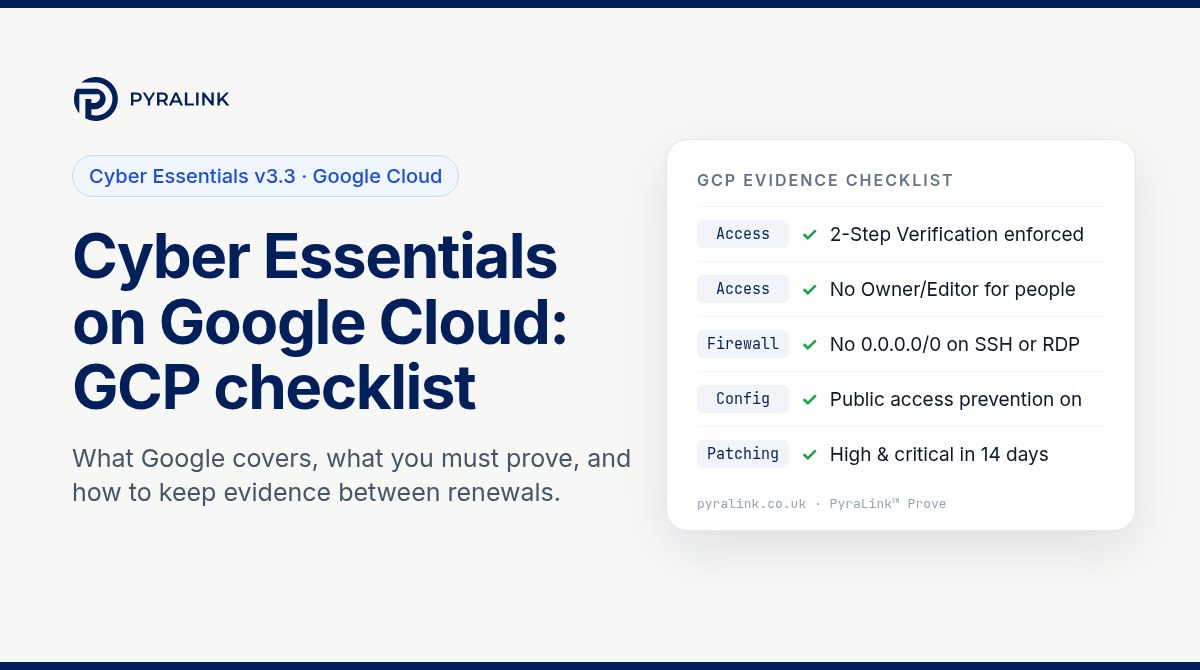
Short answer: if your organisation's data or services sit on Google Cloud, those projects are in scope for Cyber Essentials and cannot be carved out. Google implements some controls for you (the physical data centres, the hypervisor and the managed parts of its platform services), but you remain responsible for showing that all five technical controls are in place for everything you configure: who can sign in and with what, which ports are open to the internet, how virtual machines are patched, how projects are configured and how malware is handled. Since the Danzell question set took effect on 27 April 2026, failing to switch on multi-factor authentication for a cloud service that offers it is an automatic fail.
This guide maps each Cyber Essentials control to the Google Cloud settings that evidence it, then gives read-only gcloud checks you can run today and a simple way to keep proof that fixes stay fixed.
What Cyber Essentials v3.3 says about cloud services
The NCSC's Requirements for IT Infrastructure v3.3 is explicit: if your data or services are hosted on cloud services, those services must be in scope, and the applicant is always responsible for ensuring every control is implemented, even where the cloud provider implements part of it. The scheme recognises three service types, and Google Cloud products fall into all of them:
- IaaS: Compute Engine virtual machines, GKE nodes you manage, VPC networks and firewall rules. You configure and patch these much like physical servers.
- PaaS: Cloud Run, App Engine, Cloud Functions and Cloud SQL. Google runs the underlying infrastructure; you own the application, its configuration and who can reach it.
- SaaS: Google Workspace and the Cloud console itself. Google runs the application; you must still configure it securely, especially accounts and MFA.
Where Google implements a control on your behalf, the requirements say you should be able to point to a contractual commitment or a document referenced by contract, such as Google's shared responsibility documentation. Keep a link or a saved copy in your evidence folder.
Who does what on Google Cloud
| Control | Compute Engine / GKE nodes (IaaS) | Cloud Run, App Engine, Cloud SQL (PaaS) | Workspace / Cloud Identity (SaaS) |
|---|---|---|---|
| Firewalls | You and Google | Google, sometimes you | |
| Secure configuration | You and Google | You and Google | You and Google |
| Security update management | You and Google | You and Google | |
| User access control | You | You | You |
| Malware protection | You and Google | Google, sometimes you |
Note the user access control row: on every service type it is yours alone. That is where most cloud-related assessment failures start.
Step 1: define the Google Cloud scope
Before you answer a single question, list what you actually run. Assessors increasingly ask for the cloud services list to match reality, and forgotten projects are a common source of surprises.
- Every project in your organisation node, including sandboxes and old proof-of-concept projects that still hold data.
- The identity provider behind the console: Google Workspace or Cloud Identity, plus any external identity provider federated into it.
- Every VM, GKE cluster, Cloud SQL instance and publicly reachable service (load balancers, Cloud Run URLs, public buckets).
- Third-party SaaS that reads from or writes to your projects through service accounts.
# Read-only: list projects and the services enabled in each
gcloud projects list --format="table(projectId,name,lifecycleState)"
gcloud services list --enabled --project=PROJECT_ID

# Read-only: inventory VMs and their external IPs across a project
gcloud compute instances list --project=PROJECT_ID \
  --format="table(name,zone,status,networkInterfaces[0].accessConfigs[0].natIP)"
Step 2: user access control (the control you always own)
Cyber Essentials requires MFA for every user and administrator of a cloud service where MFA is available, with a password of at least eight characters alongside it. On Google Cloud the console sign-in is controlled by Workspace or Cloud Identity, so that is where enforcement lives.
- Enforce 2-Step Verification for every organisational unit in the Admin console, not just "allow" it. Record the enforcement setting and the enrolment report as evidence.
- Remove basic roles from people. Owner and Editor on a project grant far more than most jobs need. Replace them with predefined roles scoped to the task.
- Separate administration. Admin work should happen from accounts used only for administration, not from the account that reads email and browses the web.
- Control service accounts. Avoid long-lived service account keys; where your organisation allows it, enforce the
iam.disableServiceAccountKeyCreationorganisation policy and check that the default Compute Engine service account does not still hold Editor. - Leavers and stale accounts. Remove access promptly and review who holds what on a regular cycle.
# Read-only: who holds Owner or Editor on a project
gcloud projects get-iam-policy PROJECT_ID --flatten="bindings[].members" \
  --filter="bindings.role:(roles/owner OR roles/editor)" \
  --format="table(bindings.role,bindings.members)"

# Read-only: user-managed service account keys
gcloud iam service-accounts keys list --iam-account=SA_EMAIL --managed-by=user
Step 3: firewalls (VPC firewall rules)
For IaaS, the boundary firewall is largely yours. Cyber Essentials expects inbound access to be blocked by default, with every allowed rule justified and documented, and administrative interfaces not exposed to the internet unless there is a business need and extra protection.
- Look for ingress rules with a source of
0.0.0.0/0on SSH (22), RDP (3389) and database ports. Remove or narrow them. - Use Identity-Aware Proxy TCP forwarding for administrative SSH and RDP, so the only ingress needed is from Google's documented IAP range to the specific target ports.
- Review the
defaultnetwork in older projects; its pre-populated rules are broader than most workloads need. - Where it suits your design, the
compute.vmExternalIpAccessorganisation policy stops new VMs receiving public IP addresses.
# Read-only: ingress rules open to the whole internet
gcloud compute firewall-rules list --project=PROJECT_ID \
  --filter="direction=INGRESS AND sourceRanges:0.0.0.0/0 AND disabled=false" \
  --format="table(name,network,allowed[].map().firewall_rule().list(),targetTags.list())"
Step 4: secure configuration
Secure configuration means removing what you do not need and changing insecure defaults. On Google Cloud the most useful levers are organisation policies, because they prevent drift rather than just detect it.
- Public storage: enforce
storage.publicAccessPreventionso buckets cannot be made public by accident. - Public databases:
sql.restrictPublicIpkeeps Cloud SQL instances off public IP addresses. - OS Login:
compute.requireOsLoginties SSH access to IAM identities instead of keys pasted into metadata. - Unused resources: delete idle VMs, unused service accounts and orphaned external IP addresses.
Always confirm the current constraint names in Google's organisation policy reference before you apply them, and test on a non-production folder first.
# Read-only: organisation policies set on a project (and inherited effective value)
gcloud org-policies list --project=PROJECT_ID
gcloud org-policies describe storage.publicAccessPrevention --project=PROJECT_ID --effective
Step 5: security update management
The requirement is that in-scope software is licensed and supported, and that high-risk and critical updates (vendor-rated critical or high, or CVSS v3 base score of 7 or above) are applied within 14 days of release. For Compute Engine that means operating systems and the applications you install on them.
- Use VM Manager OS patch management to schedule patch deployments and report compliance across zones.
- Remove unsupported images. A VM still running an operating system past its end of support fails this control regardless of patch state.
- For GKE, keep clusters on a release channel and nodes on supported versions; for Cloud Run and App Engine, rebuild container images and runtimes regularly so dependencies stay current.
# Read-only: OS inventory and recent patch jobs
gcloud compute os-config inventories list --location=ZONE --project=PROJECT_ID
gcloud compute os-config patch-jobs list --project=PROJECT_ID --limit=10
Step 6: malware protection
For IaaS VMs you choose the mechanism: anti-malware software on the operating system, or application allow-listing where only approved software can run. Container-based workloads change the picture, because immutable images built from a controlled pipeline act as a form of allow-listing. Write down which approach applies to which workload so the answer to the questionnaire matches what actually runs.
Step 7: keep evidence that fixes stay fixed
The self-assessment is a point-in-time declaration, and Cyber Essentials Plus adds technical testing, but the real risk is drift: a firewall rule reopened for a quick test, a new project created without MFA enforcement, a VM that missed its patch window. A sensible evidence routine looks like this:
- Run the read-only checks above on a schedule, not just before assessment.
- Save each result with the date, project and the identity that ran it.
- When something fails, record the fix and re-run the same check to show it passed.
- Keep the history, so you can show your assessor (and customers asking about your security) that controls held between renewals.
This is exactly the job PyraLink™ Prove is built for. It connects to Google Cloud, AWS and Azure with read-only access, checks configuration against the controls auditors and assessors ask about, and keeps digitally signed, dated evidence records that you can verify independently. If you are working across several frameworks at once, our guide to multi-cloud compliance audit evidence explains how one set of checks can serve several standards.
Google Cloud Cyber Essentials checklist
- ☐ All projects, identity tenants and public endpoints listed in the cloud services answer
- ☐ 2-Step Verification enforced for every user and admin in Workspace or Cloud Identity
- ☐ No people holding Owner or Editor without a documented need
- ☐ Separate admin accounts used only for administration
- ☐ No user-managed service account keys without a documented exception
- ☐ No ingress from 0.0.0.0/0 to SSH, RDP or database ports; admin access via IAP
- ☐ Organisation policies for public access prevention, public IPs and OS Login reviewed
- ☐ Supported operating systems only; high and critical patches applied within 14 days
- ☐ Malware protection approach recorded per workload
- ☐ Dated evidence kept for each check, with re-checks after every fix
For the wider picture on what changed in the current question set, read why last year's Cyber Essentials evidence will not pass this year's assessment. Running mainly on AWS or Azure instead? See our SOC 2 on AWS checklist and ISO 27001 on Azure checklist, which follow the same control-to-setting approach.
Frequently asked questions
Is Google Cloud in scope for Cyber Essentials?
Yes. Under Cyber Essentials v3.3, any cloud service that hosts your organisation's data or services must be in scope, and cloud services cannot be excluded. That includes Google Cloud projects and the Workspace or Cloud Identity tenant used to sign in to them.
Does Google's own compliance cover my Cyber Essentials assessment?
No. Google implements some controls for the parts of the platform it runs, but you are responsible for the controls you configure, and user access control is always yours. Keep Google's shared responsibility documentation as evidence for the parts it implements.
Is MFA mandatory for the Google Cloud console?
Yes, where it is available, and it is available through Workspace and Cloud Identity 2-Step Verification. Since the Danzell question set took effect on 27 April 2026, not enabling MFA on a cloud service that offers it is an automatic fail.
How quickly must Compute Engine VMs be patched?
High-risk and critical updates, meaning vendor-rated critical or high or with a CVSS v3 base score of 7 or above, must be applied within 14 days of release. Operating systems that are no longer supported must be removed or replaced.
Can I use the same evidence for ISO 27001 or SOC 2?
Much of it overlaps. MFA enforcement, firewall reviews and patch records support controls in all three, so keeping dated, repeatable checks saves duplicated work across frameworks.
Keep Cyber Essentials evidence for Google Cloud
See how PyraLink Prove checks your Google Cloud projects with read-only access and keeps digitally signed, dated evidence records that you can verify independently.
Request a PyraLink Prove Demo ↗Sources: NCSC: Cyber Essentials Requirements for IT Infrastructure v3.3; IASME: Changes to the Cyber Essentials scheme, April 2026; Google Cloud: VPC firewall rules.